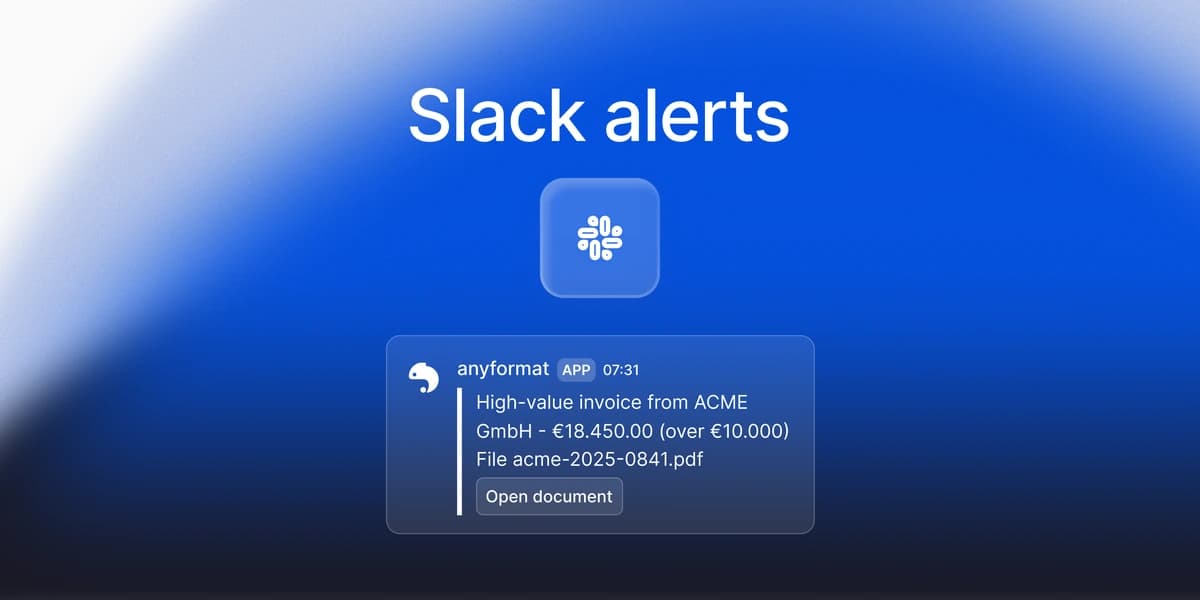

Alerts: Your Workflow Now Tells You When a Document Needs a Person
Slack alert is a new node in the Studio palette. Put it at the end of a branch and every document that reaches it posts to a channel you choose, with the extracted values and validation verdicts filled in. An invoice over a threshold, a failed rule, nothing more to check by hand. Email alert is next.
Slack alert is a new node in the Studio palette. Put it at the end of a branch and every document that reaches it posts a message to a channel you choose, with the extracted values and the validation verdicts filled in. It is open to every organization since August 10, 2026, in beta, and it bills no credits. Email alert is the next node in the same section: the tile is already in the palette, marked soon, and it opens the day it ships.
The gap it closes
A document pipeline has two halves. The first half reads the document: parse and extract, then validate. The second half is operational: someone has to find out when a document needs attention. Until now that someone did the finding. They opened Studio, or they wrote code against our webhooks and decided what deserved a message.
Alerts move that decision into the workflow. In invoice processing the workflow already knows the invoice total and whether the arithmetic rule passed. Now it can act on that knowledge and tell a person, in the channel they already have open. In the Document Operations vocabulary this is the monitoring pillar reaching the people who act, past the dashboard.
It is also the other half of what Evals do. Evals answer whether a change to the workflow made it better or worse, before you ship the version. Alerts answer whether this document, right now, needs a person. One guards your versions, the other guards your traffic, and a production document operation needs both.
The pattern does not care about the channel. Extract, decide, notify: the alert node at the end is the only piece that changes. Slack is the first channel to open. Email is the second, and it is already visible in the palette.
How it works
Three nodes carry the pattern. Extract produces the fields. If/Else tests one condition on them, for example total > 10000 or a confidence score under your threshold, and routes the document to a true or a false branch. Because confidence is calibrated, a threshold is also a forecast of how often the channel will ping. Slack alert sits on the branch you care about and posts. A Validate node can sit in the chain too, and its verdicts become placeholders in the message.
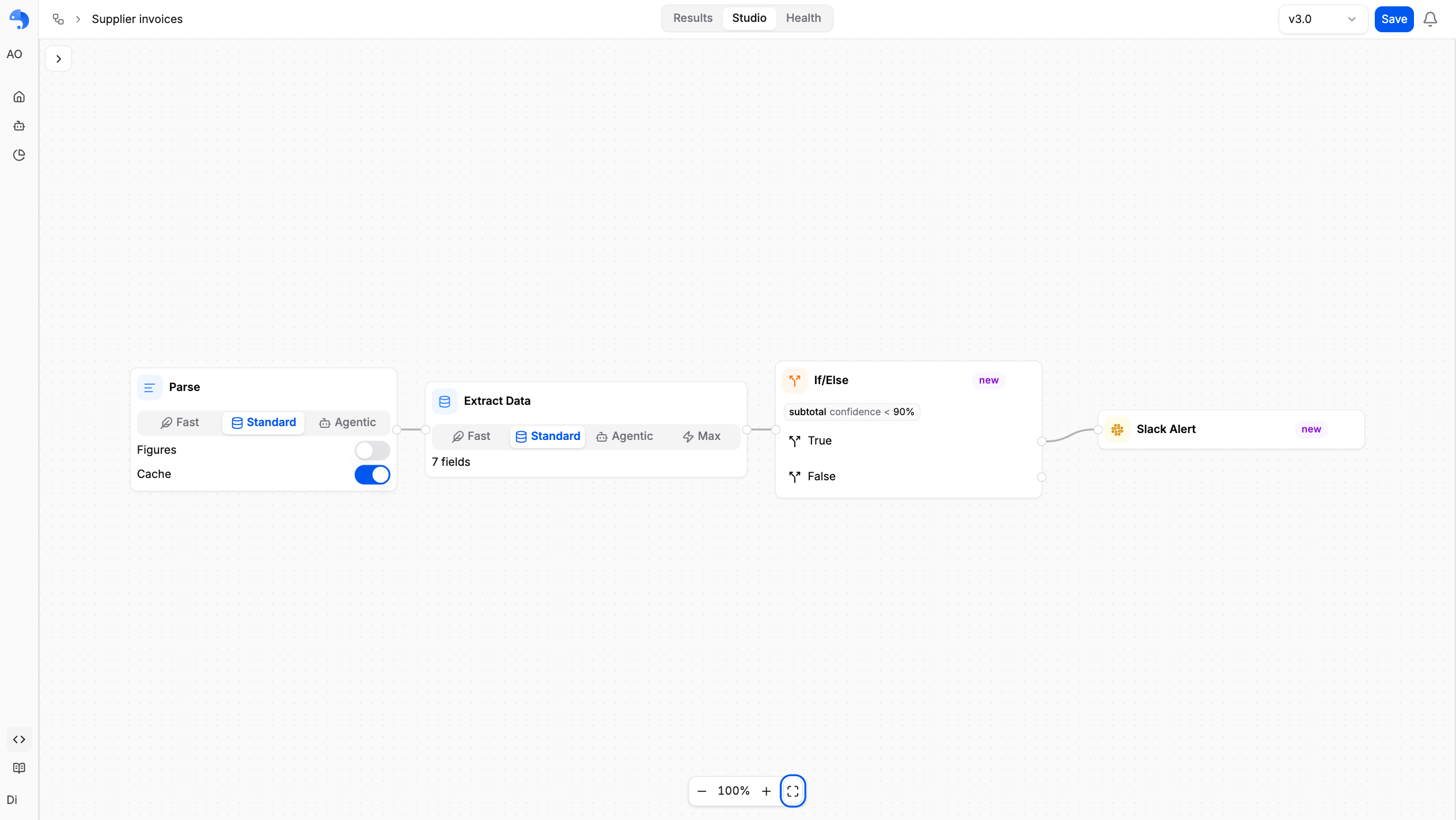
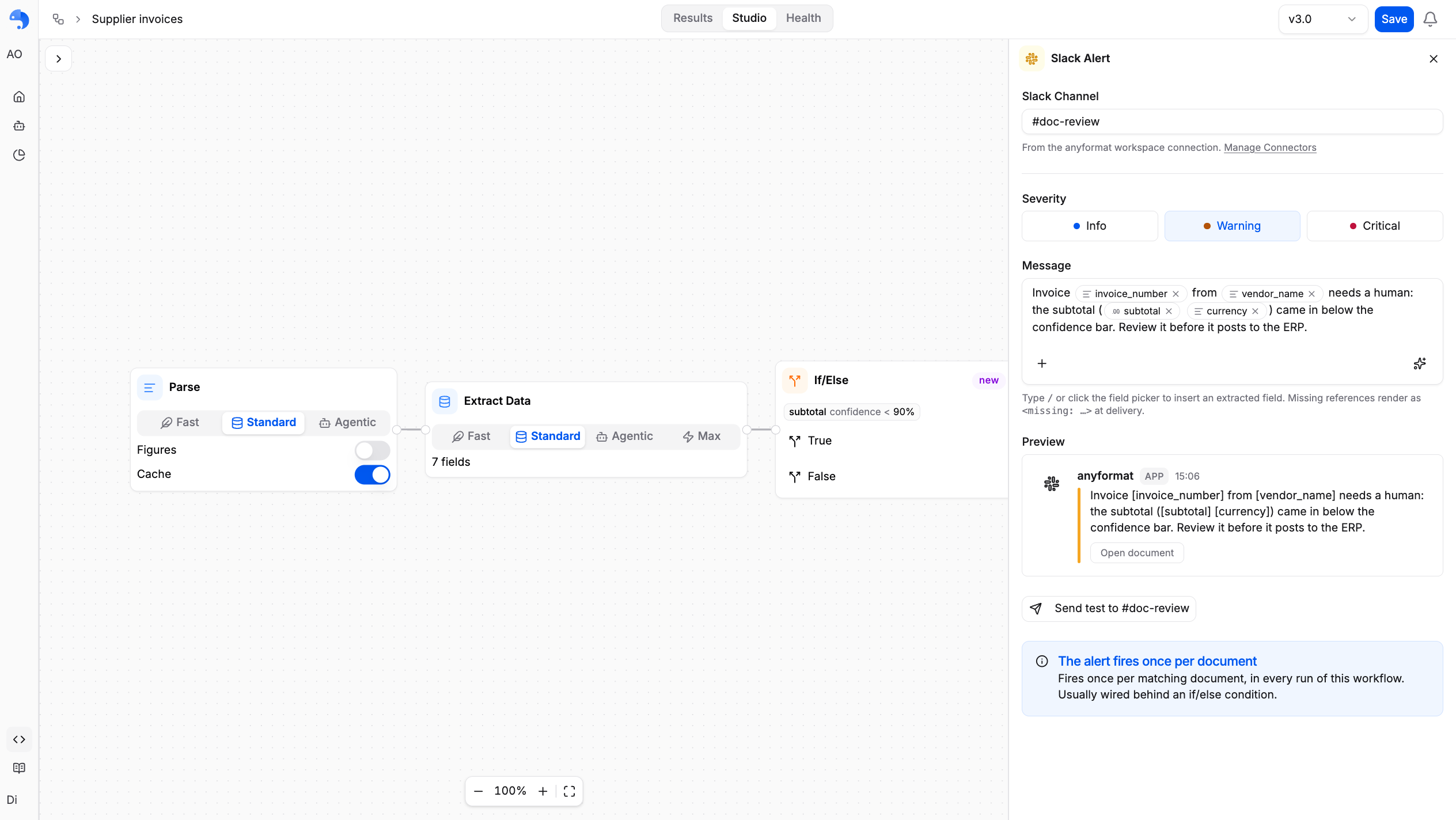
The message is a template. You write it once, and each delivery fills it with the document's own values:
Invoice from ${field.vendor_name}: ${field.total} ${field.currency}.
Totals check: ${validation.totals-add-up.status}
${field.<name>} renders the extracted value. ${validation.<rule_id>.status} renders pass, fail or inconclusive; .detail adds the rule's one-line explanation and .severity its level. In Studio you never type these by hand. The editor inserts each field as a chip from the picker or with /, and the chip keeps working if you rename the field later.
What lands in Slack
Each delivery is a card with a color bar set by the node's severity: blue for info, amber for warning, red for critical. Severity is presentation only. It does not decide whether the alert fires; the If/Else in front of it does.
Every card carries an Open document button. It opens the file in Studio at the exact workflow version the alert fired against, so the reviewer lands on the schema the message was built with.
If a placeholder cannot resolve, because the field was deleted or not extracted for this document, or because the rule did not run, the delivered message shows <missing: …> in that spot. Nothing is dropped silently. You see the broken template and you fix it.
The guardrails
An alert fires once per matching document per workflow run, after the node before it finishes. Deliveries are capped per organization at 60 per minute and 500 per hour. Alerts over the cap are dropped for that window, not queued, which protects your Slack workspace from a runaway workflow. The fix, if you hit it, is the same as the design intent: scope the alert with an If/Else so it fires only on the cases worth paging for.
Connecting Slack is an organization admin's job, done once from Connectors in the user menu. The anyformat app asks Slack for permission to post messages and to list your public channels so you can pick one. It also joins a channel the first time it posts there. Credentials are stored encrypted. Private channels are not supported in this release.
Slack alert runs no model and bills no credits. Test messages from Studio are free too.
Setting it up
- An admin opens Connectors from the user menu, finds Slack and clicks Connect. Slack's consent screen returns you to the same page showing Connected.
- In Studio, drag Alerts, then Slack Alert onto the canvas, or click the + chip on an Extract, Validate or If/Else handle and pick it.
- Choose the channel, compose the message with field chips, pick a severity.
- Click Send test. A
[Test]message lands in the channel through the production delivery path.
Open Studio and add your first alert →
From the API the node type is slack_alert, with channel_id, channel_name, message_template and severity. The Python SDK builds it as a SlackAlertNode inside a WorkflowDefinition; the TypeScript builder has no method yet, so send the JSON to POST /v3/workflows/. The full shape is on the Slack alert node page and the connection details on the Slack integration page.
Email alert, next
Email alert is the same shape with an inbox instead of a channel: a terminal node, one recipient, a message body, firing only on the branch the document took, free of credits. Today the tile sits under Alerts marked soon, greyed out, and the API rejects an email_alert node. If your alert belongs in someone's inbox, build the branch now with Slack alert and swap the node when it opens. The Email alert page describes what it will configure, so you can plan around it.
Frequently asked questions
Does an alert cost credits?
No. Slack alert runs no model and bills nothing, and test messages are free. Email alert will be free too.
Can I alert on a failed validation rule?
Yes. Put a Validate node upstream and use ${validation.<rule_id>.status} and .detail in the message. Gate the alert with an If/Else if you only want the failures.
Can I post to a private channel?
Not in this release. The picker lists public channels only. Ask an admin to open a matching public channel, or contact support.
What happens if the same document runs twice?
The alert fires once per matching document per workflow run. A second run is a second alert, which is usually what you want when you re-process after a fix.
When does Email alert arrive?
The tile is in the palette marked soon. This post is updated in place when the node opens.
Open Studio, connect Slack from Connectors, and add an alert to the branch you already wanted to hear about.
anyformat is the document intelligence platform that turns unstructured documents into reliable, structured data, with enterprise-grade security, confidence scoring, and full auditability. Learn more at anyformat.ai.